Permission requests
Before an assistant changes a file or runs a command, it asks. This page shows what the request says and what Allow and Deny do.
On this page
An assistant asks before it does something that changes your files or runs a command. The request appears in the conversation as a card, and the conversation waits until you answer.
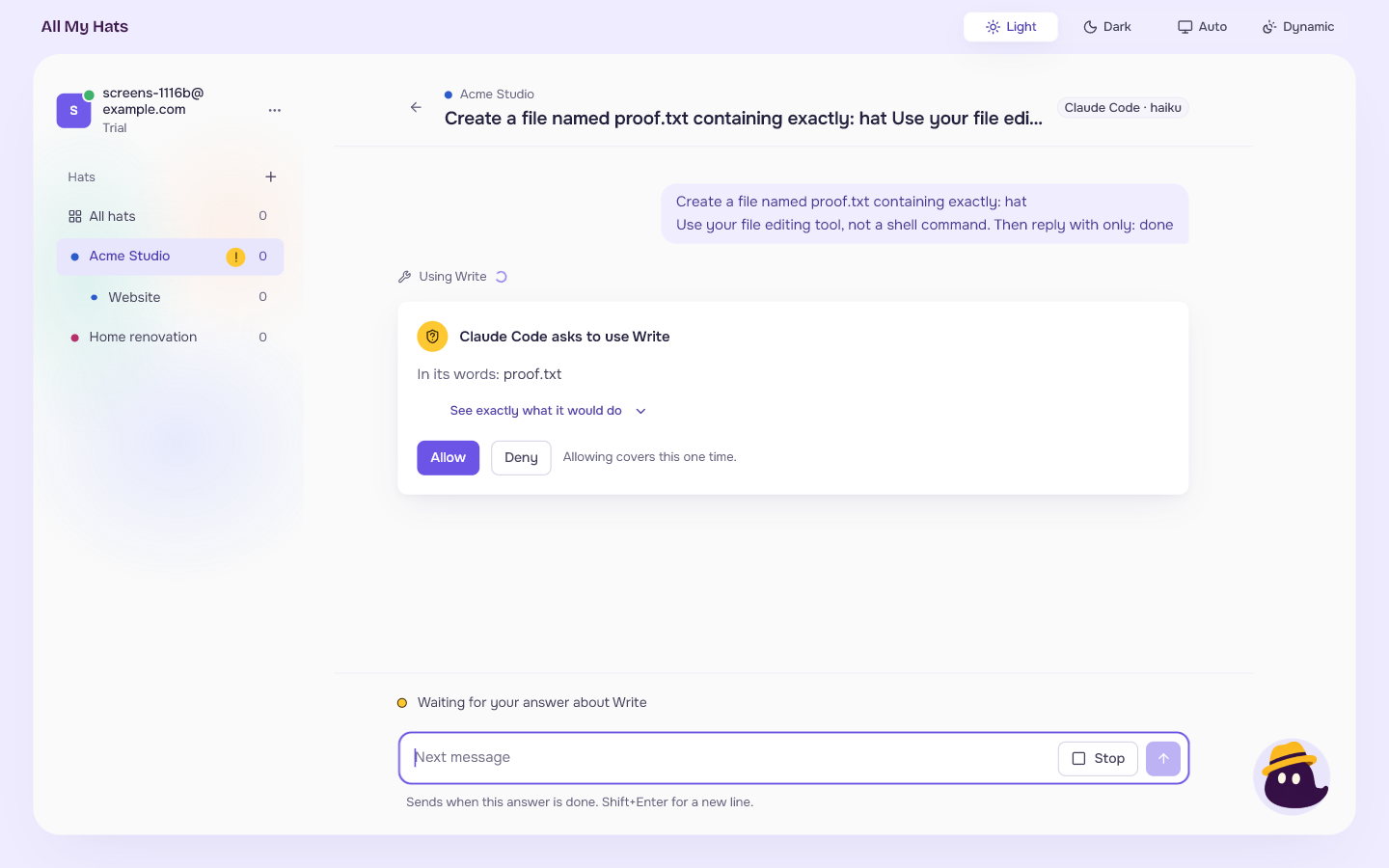 Enlarge
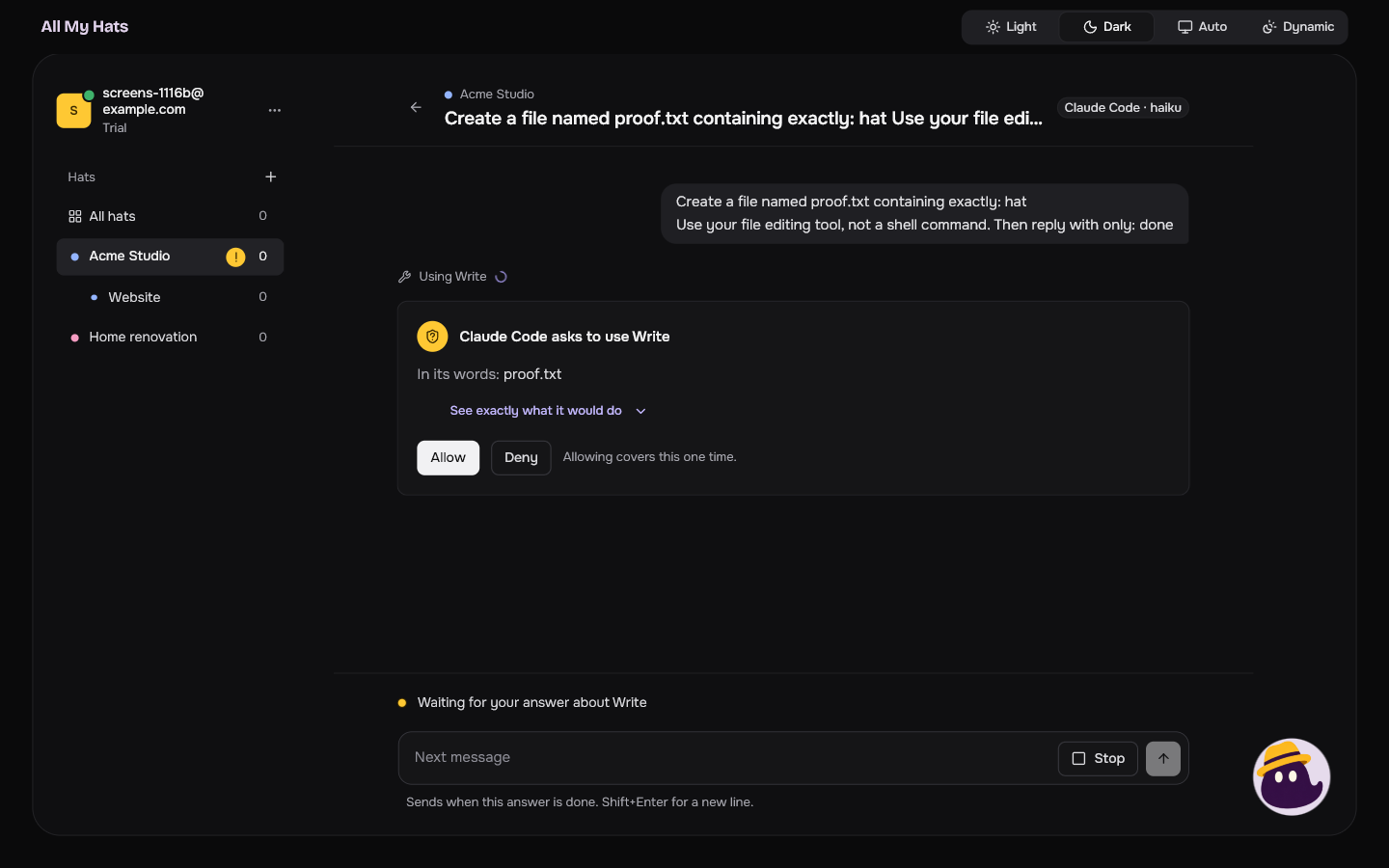 Enlarge
What the card says
- The title names the assistant and the tool: "Claude Code asks to use Write".
- In its words: is the assistant's own sentence about why. It is the assistant talking, so read it as its claim. When the assistant gave no reason, the card says "It did not say what for. What it would do is below."
- See exactly what it would do opens the exact text of the request, for example the full command. Press Hide exactly what it would do to close it. For a command, the card opens it for you.
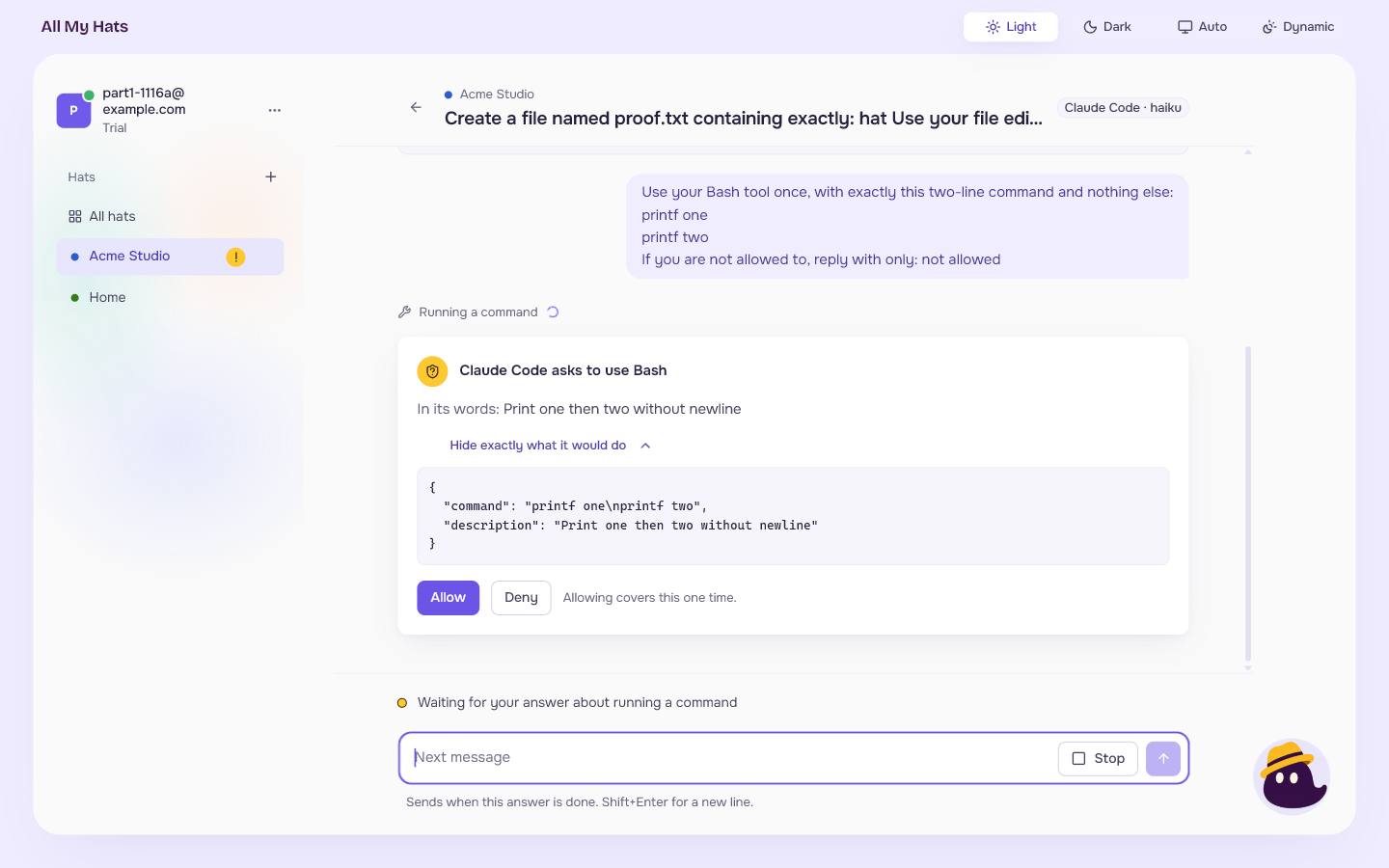 Enlarge
The conversation's status line says "Waiting for your answer about" followed by what is asked, such as "Waiting for your answer about Write". The conversation's row says Needs you, and its hat carries a yellow mark in the list on the left. The row sits under Needs you at the top of its hat, above the queue, and on All hats it sits there too, with its hat's name. Click it and the conversation opens on the request.
Answer it
- Allow lets the assistant do it. "Allowing covers this one time." The next request asks again.
- Deny refuses it. The assistant is told no, and it goes on without doing it.
A request that is too long to show
Some requests are too long to show in full. The card then says "Cut: this was too long to show whole. The rest is not here." and "All My Hats cannot show all of it, so it cannot be allowed from here." It has only Deny. This also holds for a request that does not say what it would change.
What the conversation shows afterwards
The card stays in the conversation as a record, with your answer on it:
- "You allowed this"
- "You said no"
- "Never answered. It was not done."
The line above the card says what happened to the action. After Allow it reads, for example, "Changed a file". After Deny it reads "Did not change a file: you said no", or, for a tool the app has no plain words for, the tool's name followed by "was not used: you said no".
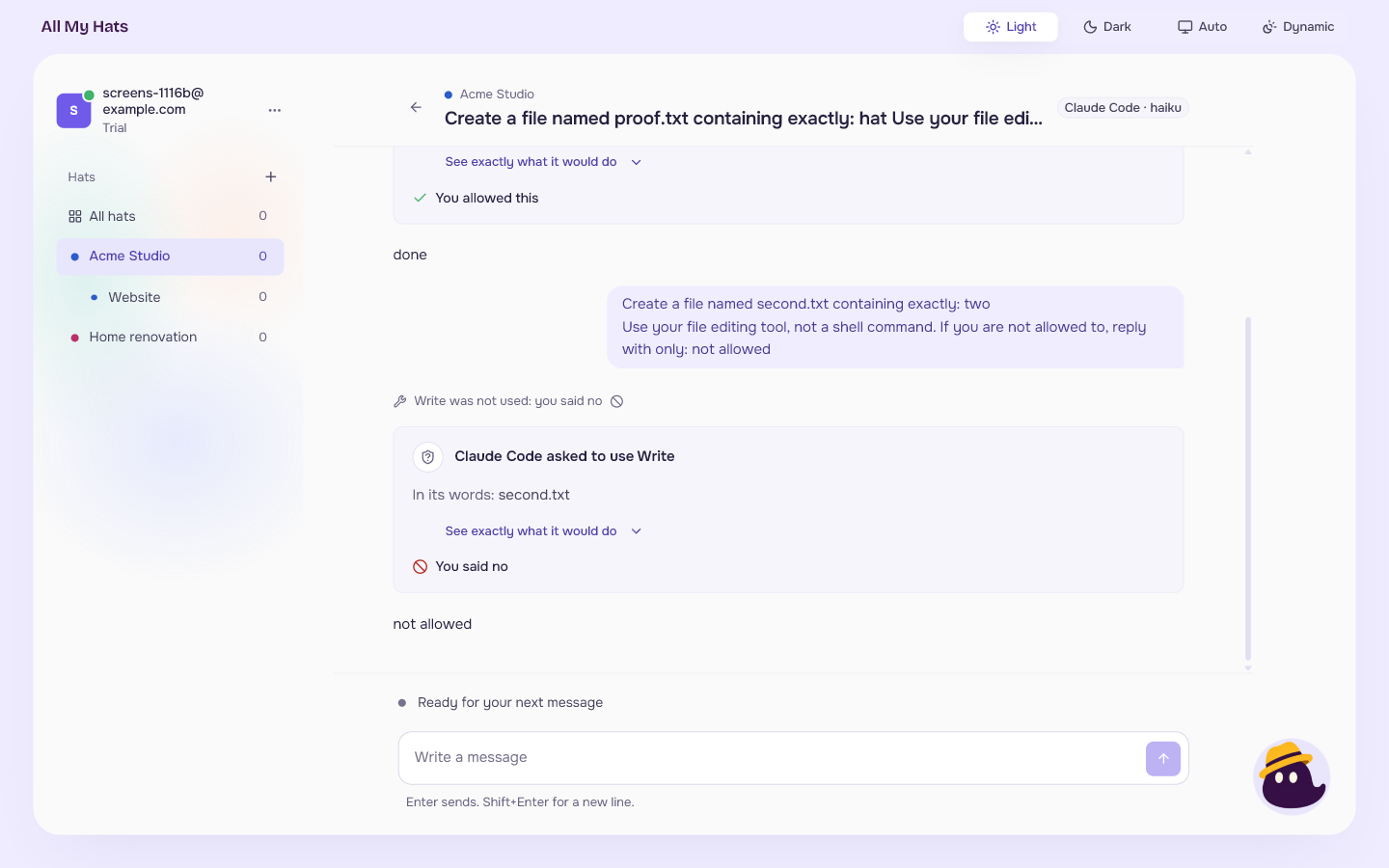 Enlarge
If you close the app while a request waits, nothing is done. When you open the conversation again, the card says "Never answered. It was not done." and the line above it reads, for example, "Did not change a file: the request was never answered". Your message shows "Cut off when the app closed" under it. The card now says "asked" where it said "asks" before, because it is a record.